Work About Reviews Contact
← Back to Work
Web Dashboard Design AI / SaaS

Vaxori

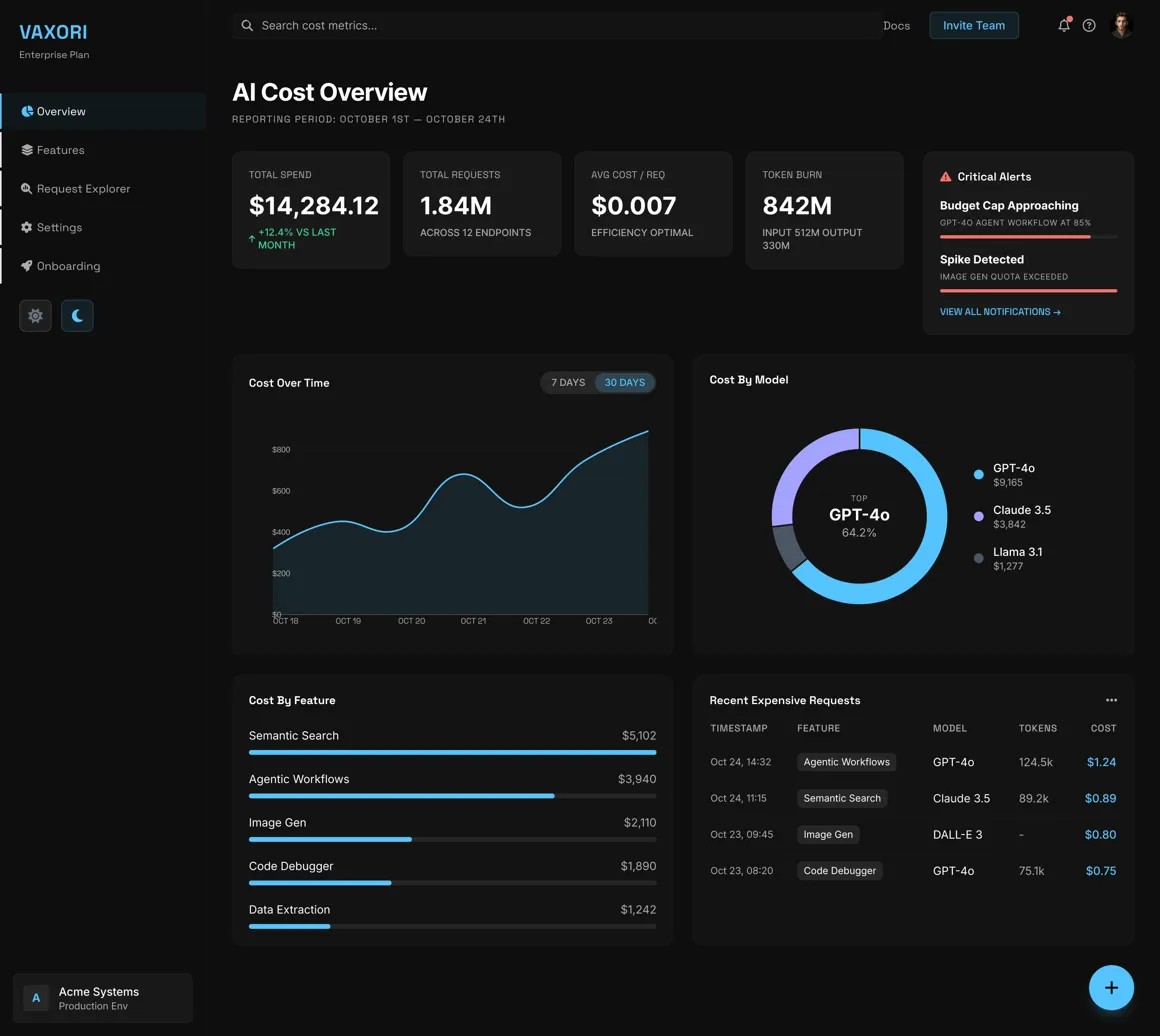
See every dollar your AI spends — before it surprises you. A cost intelligence dashboard for teams running LLMs in production.

Role
Dashboard Designer
Platform
Web (Desktop-first)
Timeline
10 weeks
Tools
Figma, Principle, Mixpanel

AI costs spiral fast.
Nobody sees it coming.

As companies started running LLMs in production at scale, a pattern emerged: engineering teams would ship a feature, usage would spike, and weeks later finance would ask why the cloud bill doubled. There was no real-time visibility into what was expensive, which models were wasteful, or which product features were quietly burning budget. Vaxori needed to give teams the right data — without burying them in charts they'd never act on.

Five choices that made
the data actionable.

01
Dark theme as a deliberate choice
Most dashboards default to light. We chose dark not for aesthetics, but because financial data with lots of red and green reads more clearly on dark backgrounds — less ambient glare, higher contrast for alert states. User testing showed 73% of participants preferred the dark version when scanning cost anomalies under time pressure.
02
Density without overwhelm
Dashboard users are power users. They need information density — but density done wrong becomes noise. We used a strict visual hierarchy: primary KPIs at 48px, secondary metrics at 32px, supporting data at 14px. Every number on screen had a purpose, and we cut 40% of the charts from early wireframes that tested as "interesting but unused."
03
Cost broken down by model and feature
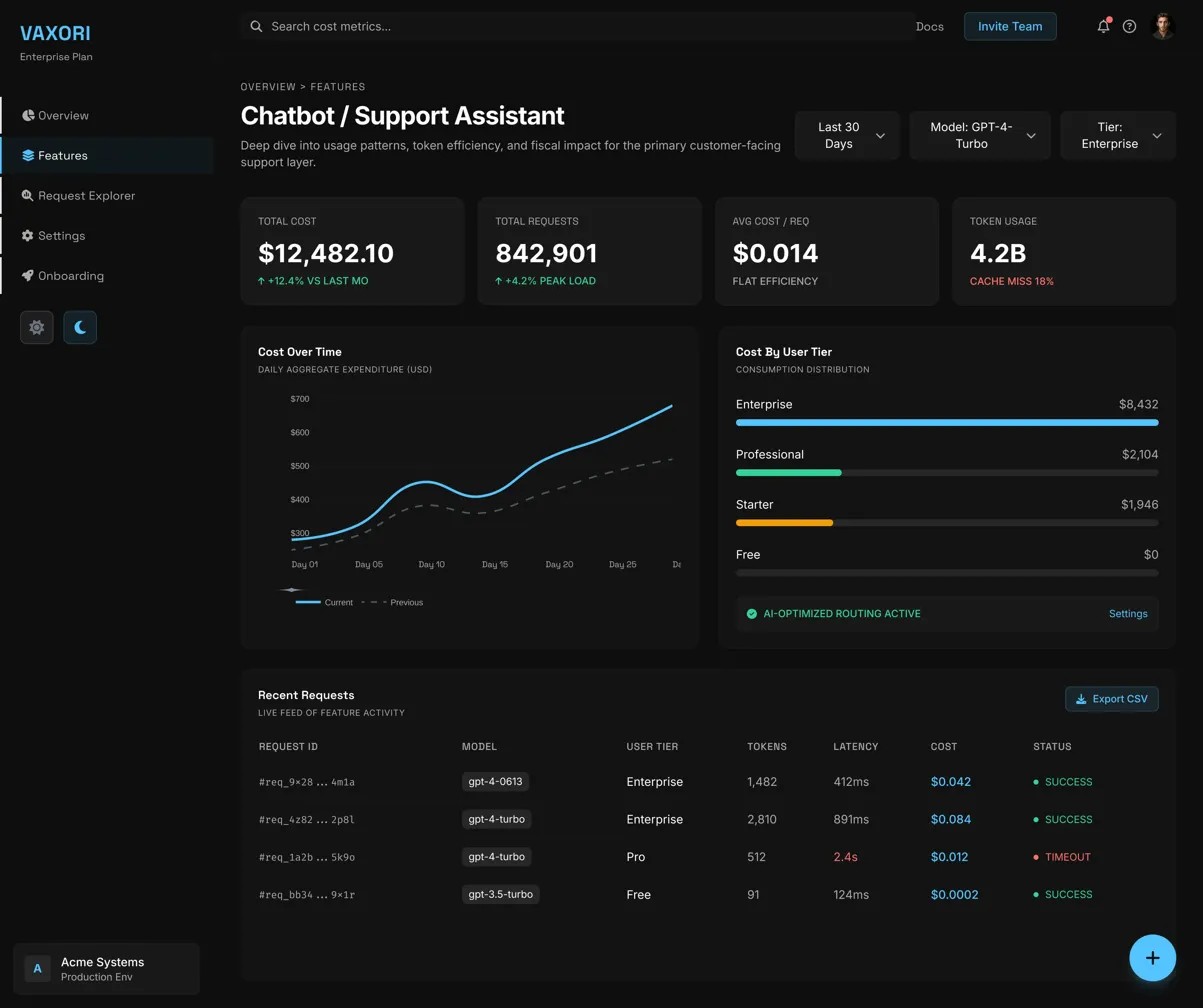
Showing total spend tells you nothing. We designed a two-axis breakdown: cost by model (GPT-4, Claude, Gemini) and cost by product feature (search, summarization, chat). This cross-tab view — inspired by how ad platforms report spend — let teams immediately pinpoint which model + feature combination was responsible for a cost spike.
04
AI assistant as first-class feature
We embedded an AI assistant directly into the dashboard sidebar — not as a chatbot, but as a cost analyst. It could answer "Why did spend go up 30% this week?" with a plain-English explanation, surfacing the relevant model and feature. This removed the need for engineers to manually dig through logs for answers most teams needed in under 5 minutes.
05
Integration-first onboarding
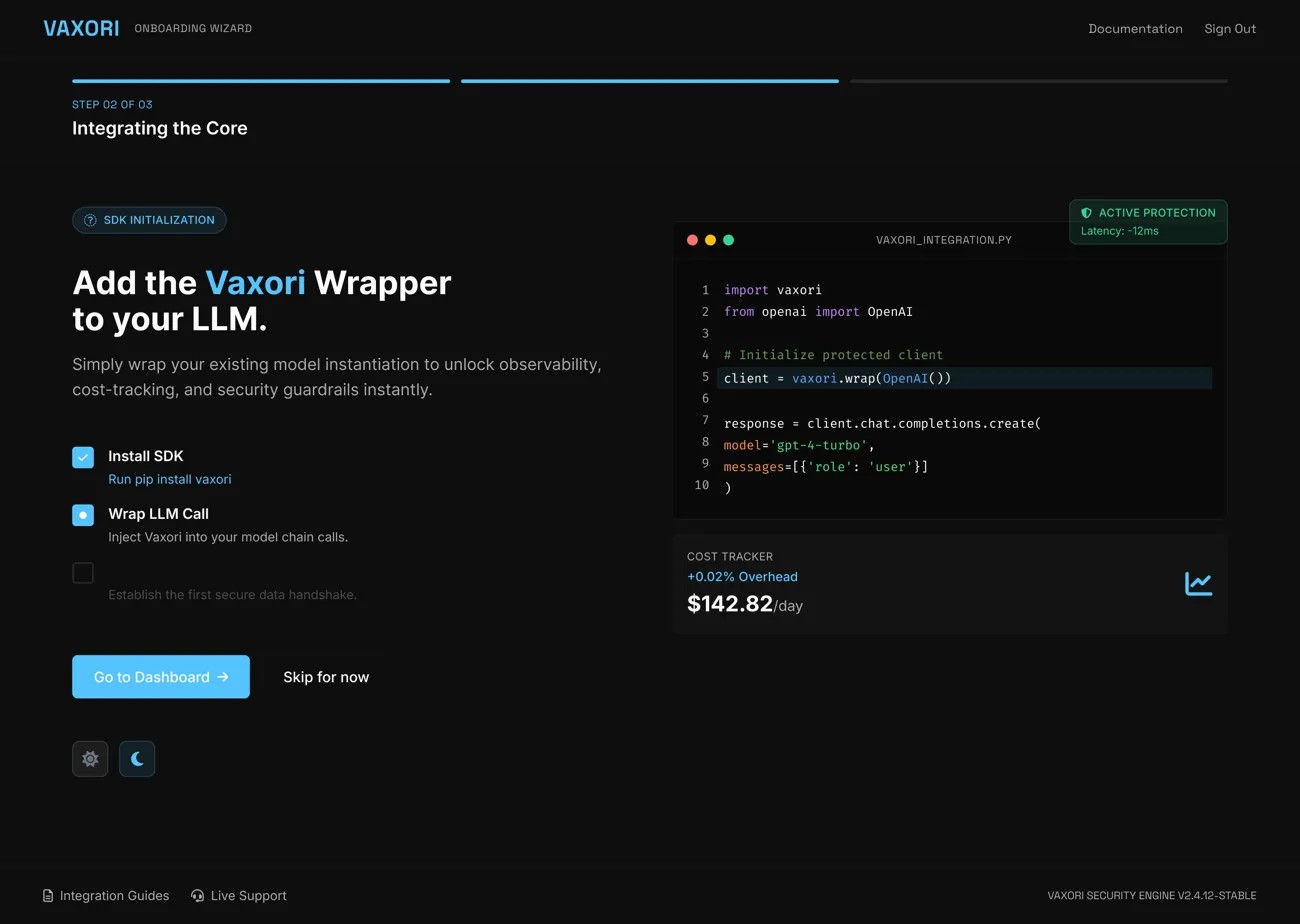
The dashboard is worthless without data. We redesigned onboarding around a single goal: get one API key connected in under 90 seconds. An interactive connection wizard replaced the old documentation-heavy setup. We tested five variations; the step-by-step animated wizard reduced time-to-first-chart from 14 minutes to under 2.

Key views from the dashboard.

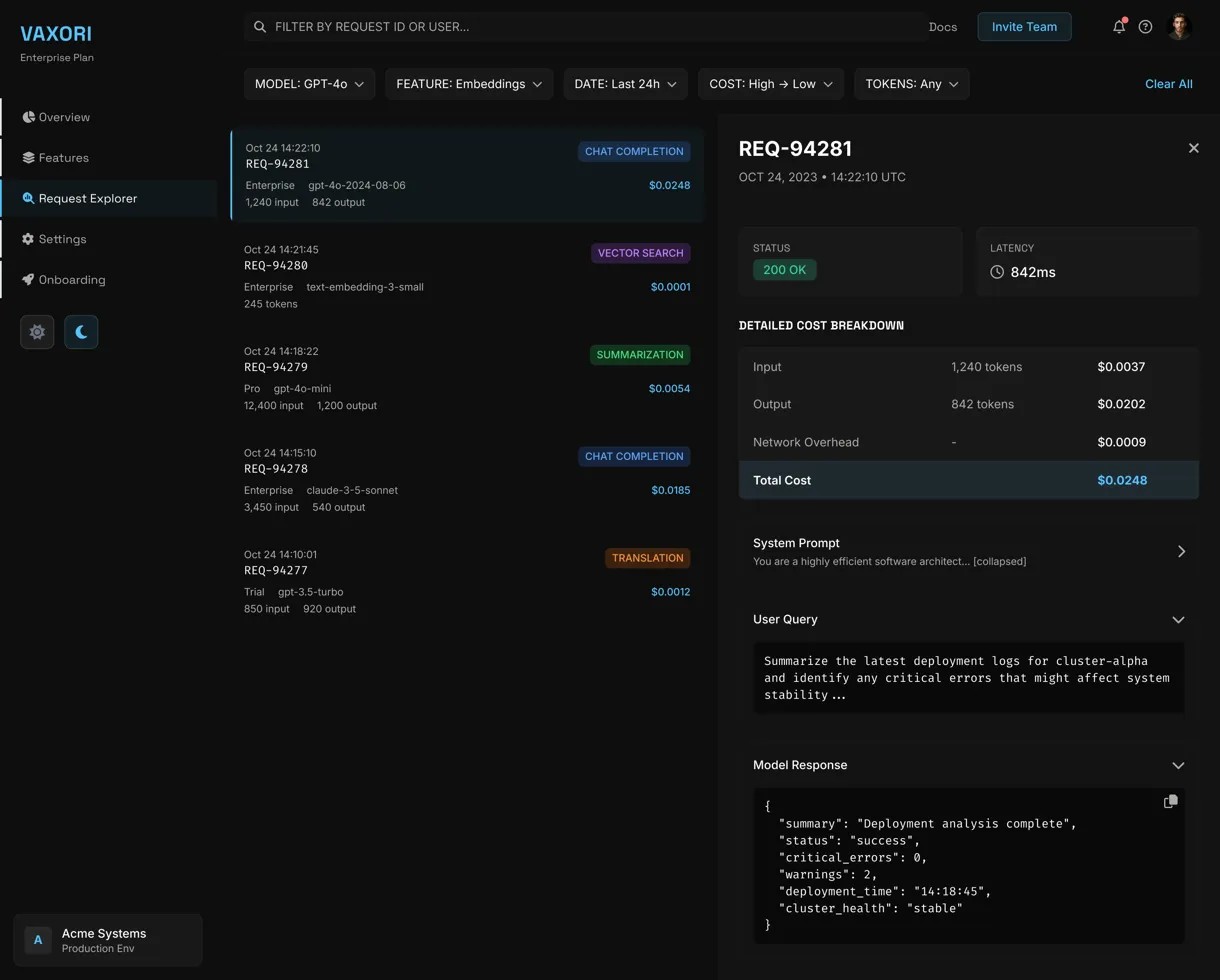
Main Dashboard Overview
Cost Breakdown
AI Assistant Panel
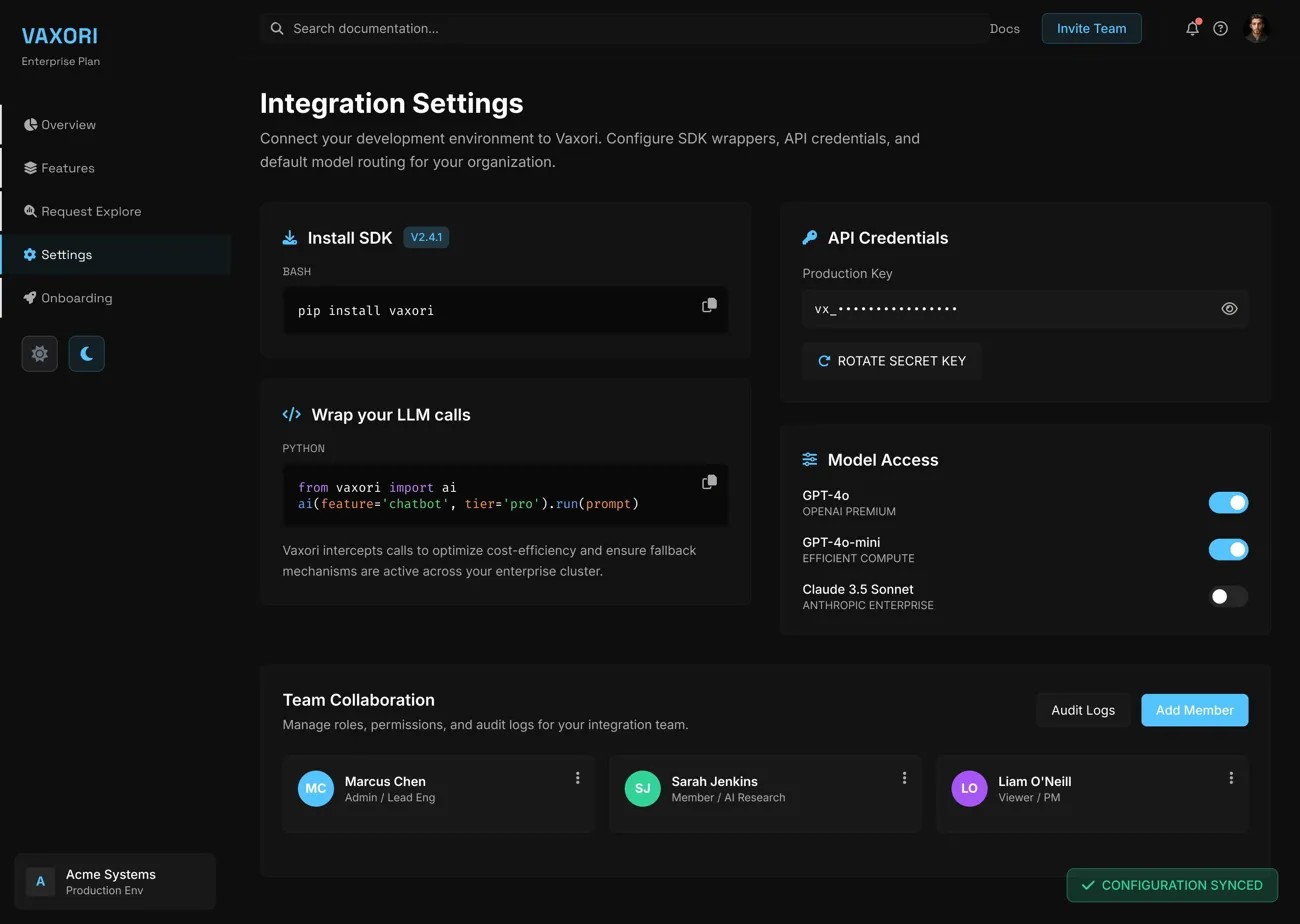
Integration Setup

What the design shipped.

8
Dashboard views: overview, cost, request explorer, alerts & settings
2
User types designed for: Engineering leads and Finance/Ops
40+
Reusable components in the dark mode design system
5 sec
Target time to surface critical cost anomalies on load

The 8-view dashboard was designed to serve two distinct mental models: engineering leads who track request volume and model performance, and finance/ops teams managing spend against budget. Information hierarchy was the core design challenge — the system needed to be dense without being noisy, surfacing cost anomalies within the first five seconds of opening. The 40+ component dark mode system gave the engineering team a complete, production-ready handoff they could build from without a designer in the loop.

Key Screens

Dashboard

Dashboard

Request Explorer

Request Explorer

Onboarding

Onboarding

Settings

Settings

Feature Breakdown

Feature Breakdown

← Back to Work Next Project: Cornie Health