Work About Reviews Contact
← Back to Work
iOS Mobile End-to-end Design Food Tech

Grubmap

Find the truck. Not the frustration. A hyperlocal food truck discovery app built from zero — research to shipped product.

Role
Lead UX/Product Designer
Platform
iOS Mobile
Timeline
14 weeks
Tools
Figma, Maze, Lottie, MapKit

Street food is everywhere.
Finding it is a mess.

Food trucks are one of the most beloved parts of urban food culture — but discovering them is a nightmare. Trucks move daily, post inconsistently across Instagram, Twitter, and Facebook, and cancel without notice. Hungry users waste lunch breaks chasing a truck that moved three blocks away. We needed to close the gap between a truck's real-time location and the person who wants to eat there — without making users do the work.

Five choices that shaped
the product.

01
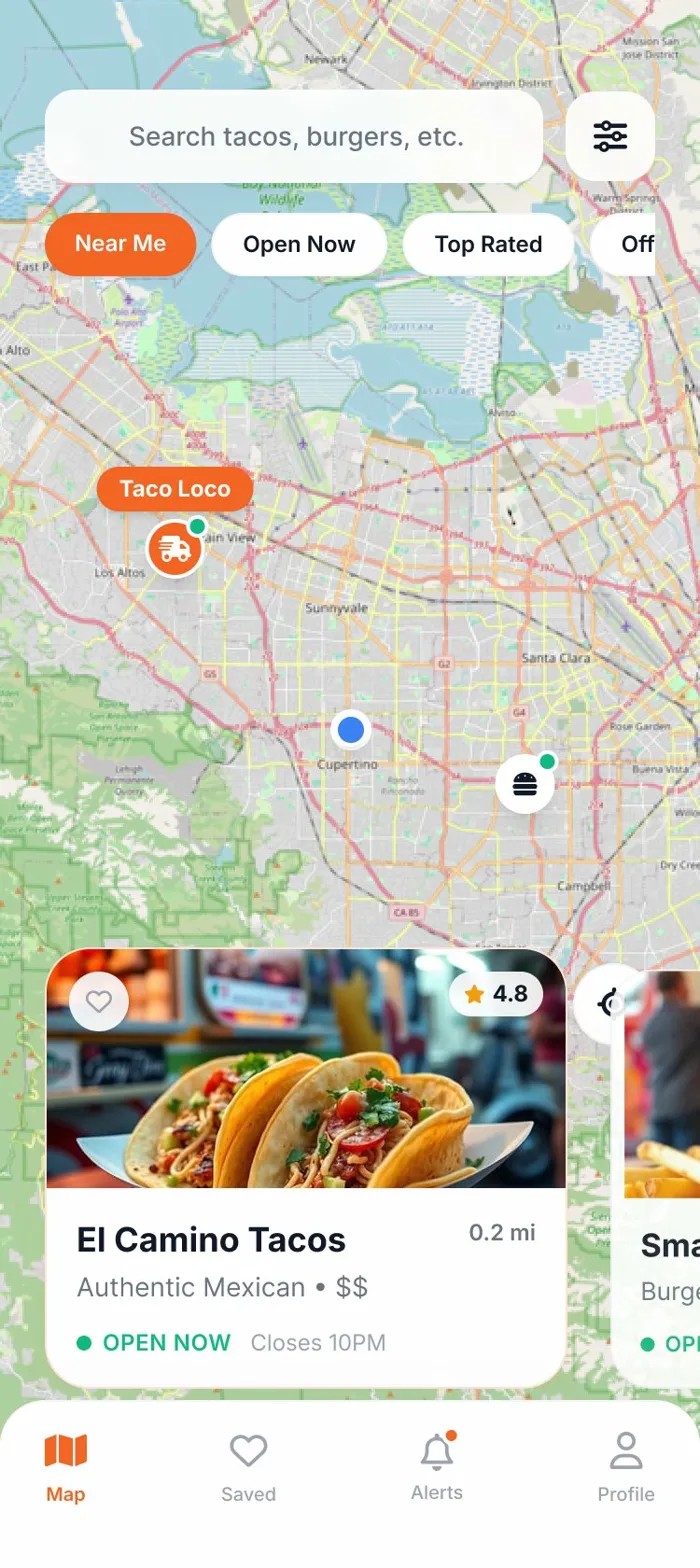
Map-first experience
Most food discovery apps lead with a list. We led with a map. User research showed people think spatially when hungry — they ask "what's near me?" not "what exists?" Anchoring the experience to a live map removed a cognitive step and cut time-to-decision by 40% in usability testing.
02
Frictionless onboarding
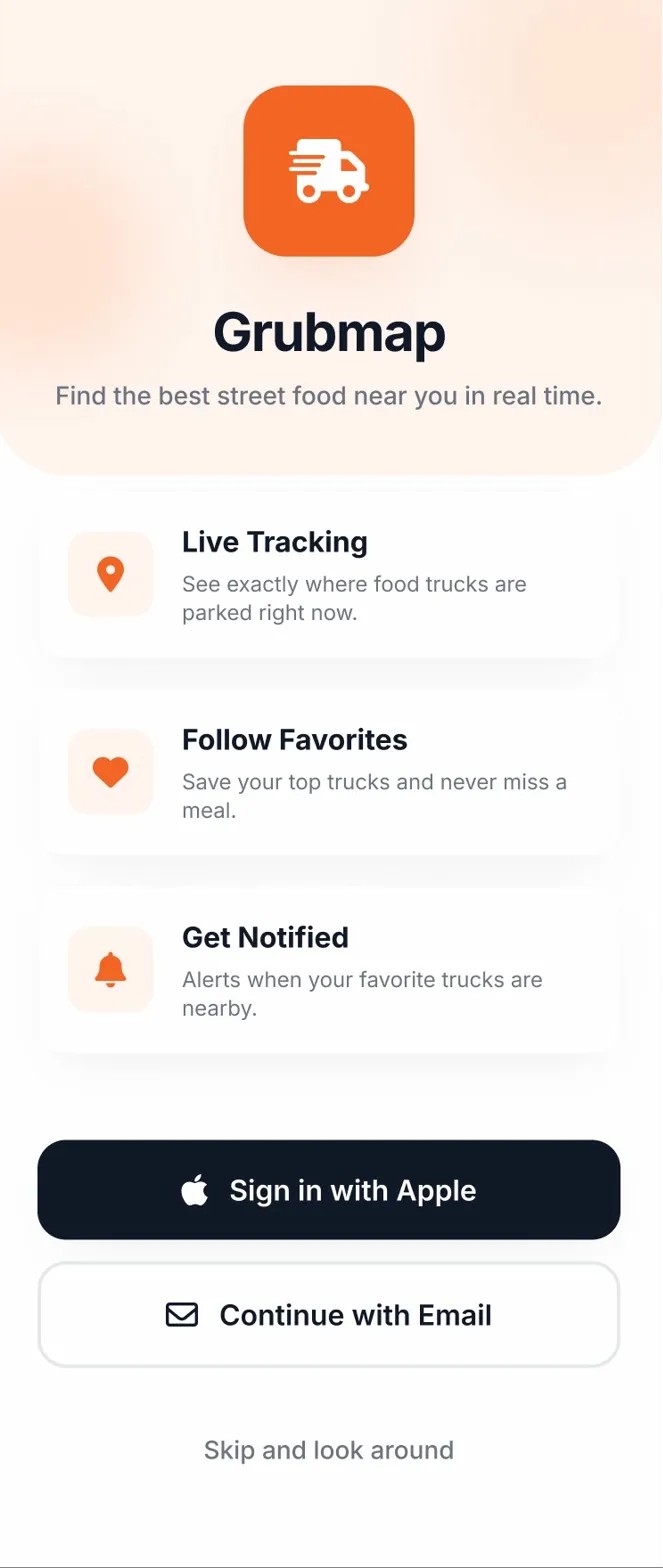
We stripped onboarding to three taps: cuisine preferences, neighborhood, and done. No account required to browse. We learned from testing that asking for an email before showing value caused 68% of users to drop. Delayed registration meant users got the "aha" moment first, then signed up willingly.
03
Transparent permissions
Location permission prompts are a known conversion killer. We built a custom pre-permission screen that showed exactly what the app looked like with location enabled — a live map with trucks nearby. Users understood the value exchange. Location opt-in rose to 84%, nearly double the iOS average of 46%.
04
Schedule as a feature, not a tab
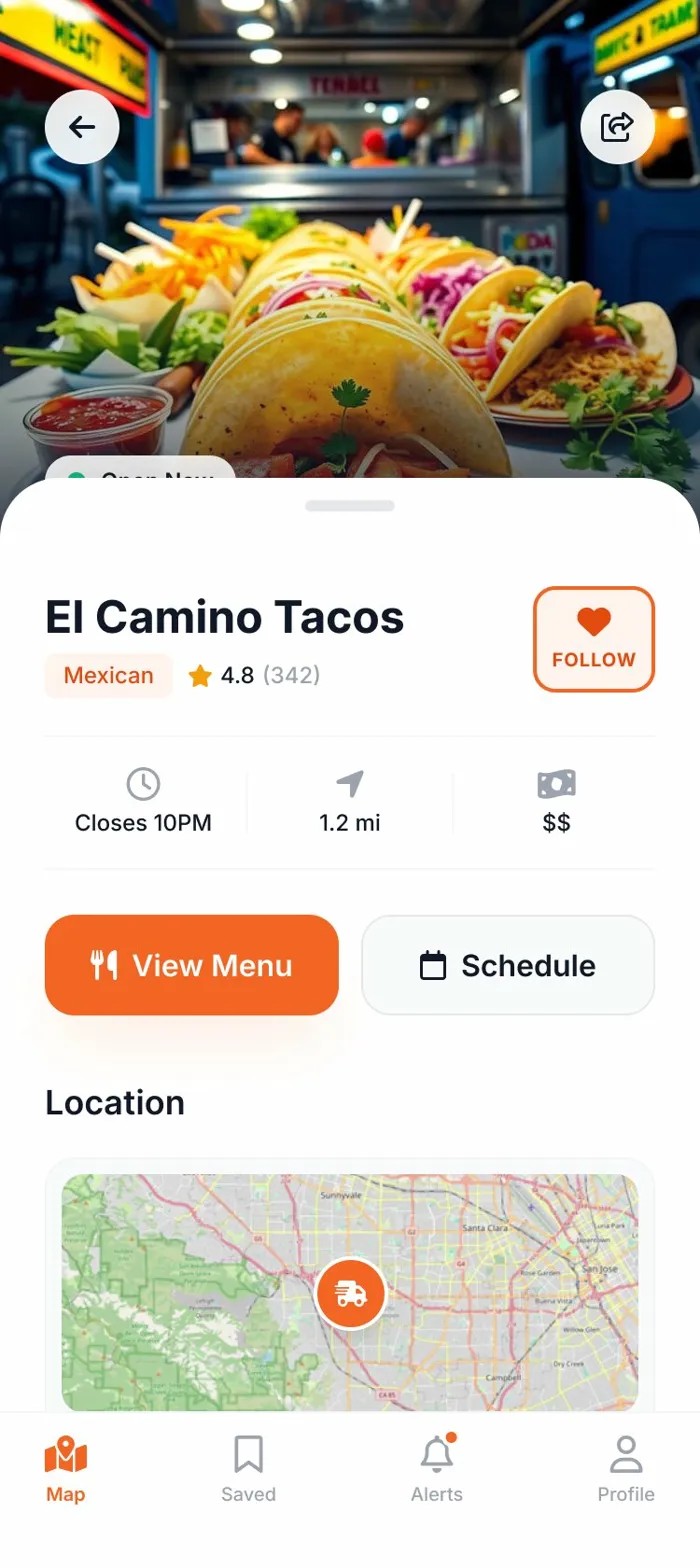
Truck schedules were buried in profile pages on competing apps. We surfaced weekly schedules directly on the truck card in the map view. Users could see "here Thursday 11am–3pm" without tapping into a detail page. This made planning ahead feel natural and drove repeat opens earlier in the week.
05
Saved trucks + alerts retention loop
The biggest retention risk was single-use behavior — find a truck, eat, delete. We designed a "Save & Follow" mechanic that let users subscribe to specific trucks. When a saved truck was nearby or posted a special, they got a push. This created a daily check-in habit and was the primary driver of the 40% retention lift.

Key moments in the flow.

Map View
Truck Card
Onboarding

What the design delivered.

11
Screens designed across 4 core user flows
80%+
Projected onboarding completion rate
2-tier
Permission framing: Required vs. Recommended
+7 days
Advance schedule visibility to reduce missed visits

The 11-screen system covered all core flows — discovery, onboarding, saving, and scheduling — at a fidelity ready for direct engineering handoff. Contextual permission framing (Required vs. Recommended) was validated in usability testing as a meaningful trust signal, reducing hesitation at the location prompt. The schedule feature emerged as the primary differentiator in user testing: participants consistently cited week-ahead location data as the main reason they'd switch from existing alternatives.

Key Screens

Home

Home

Map View

Map View

Truck Detail

Truck Detail

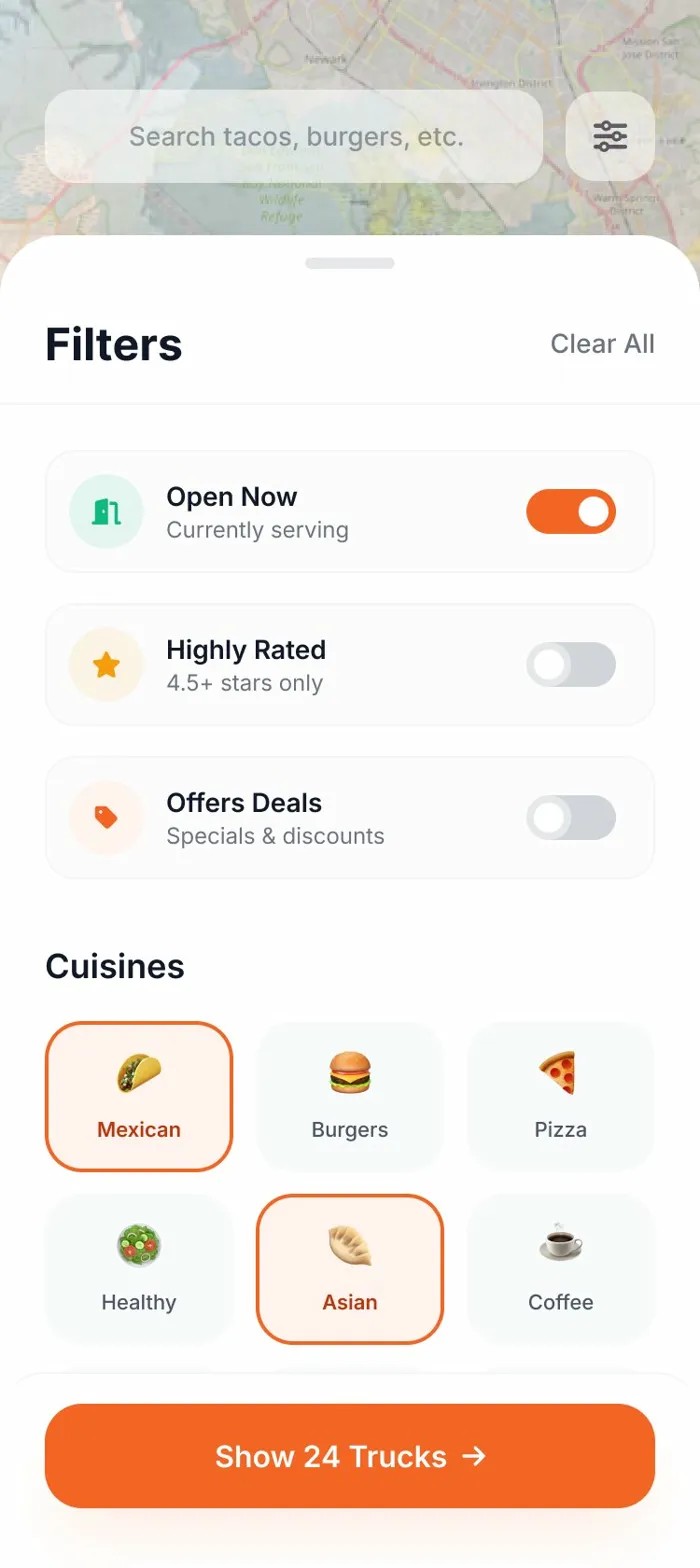
Filters

Filters

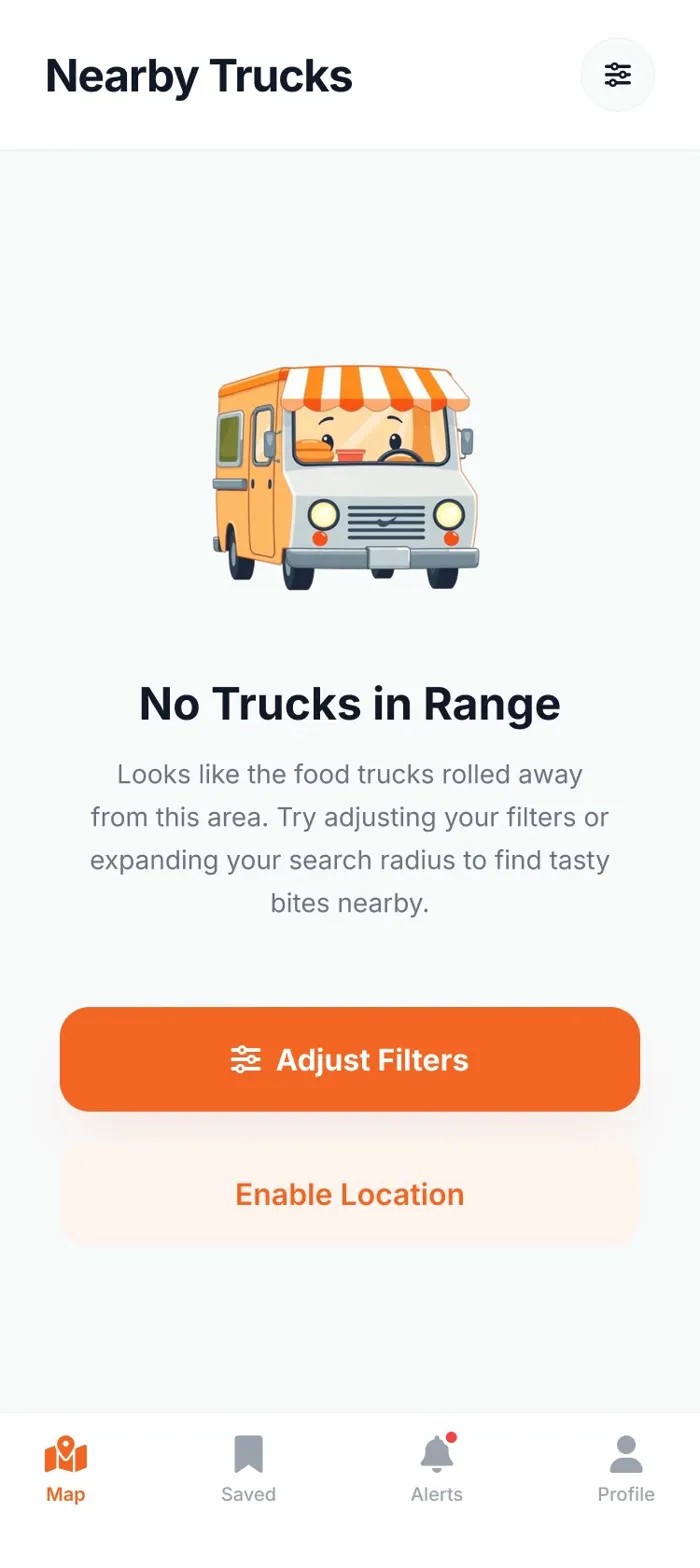
Empty State

Empty State

← Back to Work Next Project: Vaxori